
Australian owned & built
Designed and developed in Australia for organisations that want a sovereign alternative to offshore SaaS portals.
Australian sovereign · Open source · Self-hosted
v2.44 — General Availability
Firmgate is an Australian-owned, production-ready, open-source self-hosted intranet — wiki, local team chat, and a document repository on infrastructure you control.
Built in Australia for organisations that need a sovereign alternative to offshore SaaS portals. Community Edition is free under Apache 2.0. Enterprise unlocks AI, CRM, Security Clearance, LDAP, Microsoft 365, and more — with AI on self-hosted GPUs & LLMs or OpenAI-compatible APIs.
Australian production — completely Australian owned. Open source on GitHub.
Keep your intranet, documents, CRM, and clearance data under Australian control — not on a US hyperscaler you cannot audit.
Designed and developed in Australia for organisations that want a sovereign alternative to offshore SaaS portals.
Self-host on Australian infrastructure — your documents, CRM, and clearance data stay under your control.
A complete intranet and operations hub you deploy on your servers — not a prototype or side project.
Community Edition is free to self-host. Enterprise adds AI, CRM, security compliance, LDAP, M365, and integrations.
Only the Community Edition is free to self-host. Enterprise is a commercial licence that unlocks AI, CRM, security compliance, integrations, and optional vendor support.
Self-host the open-source intranet core at no licence cost.
Unlocks the full Enterprise entitlement set — AI modules (self-hosted LLM or OpenAI), CRM, Casual Calculator, timesheets, Security Clearance, Resource Pool, LDAP, Microsoft 365, and more.
Enterprise features are marked ENTERPRISE in the product UI. They require a commercial licence — not included in the free Community Edition download.
AI-enabled Enterprise
An Enterprise licence unlocks five AI modules under Administration → AI Settings. Point Firmgate at self-hosted GPUs and local LLMs on your network, or connect OpenAI and compatible cloud APIs where policy allows — configured per module.
Run inference on your LAN or private cloud — suitable for air-gapped, sovereign, and regulated teams.
Use managed models when permitted — set API keys per AI module in the admin console.
AI modules plus CRM, Casual Calculator, timesheets, Security Clearance, LDAP, M365, and more.
Configure API endpoints and models under Administration → AI Settings for each module. View commercial terms or email support@firmgate.io for Enterprise licensing.
Community Edition covers the open-source intranet core. An Enterprise licence unlocks the entitlements below (shown in-product when licensed).
Free to self-host · Apache 2.0
Landing page, announcements, and internal updates
Posts and a shared calendar for Australian and global teams
Local wiki — runbooks, policies, and knowledge on your network
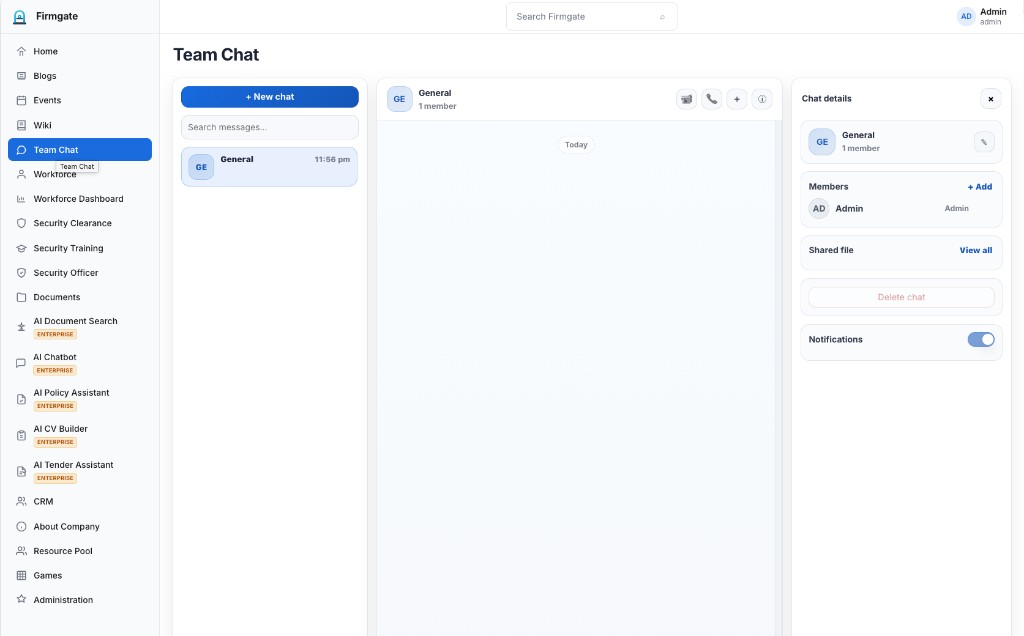
Rooms, messaging, shared files, optional WebRTC voice
Employee directory, presence, and org structure
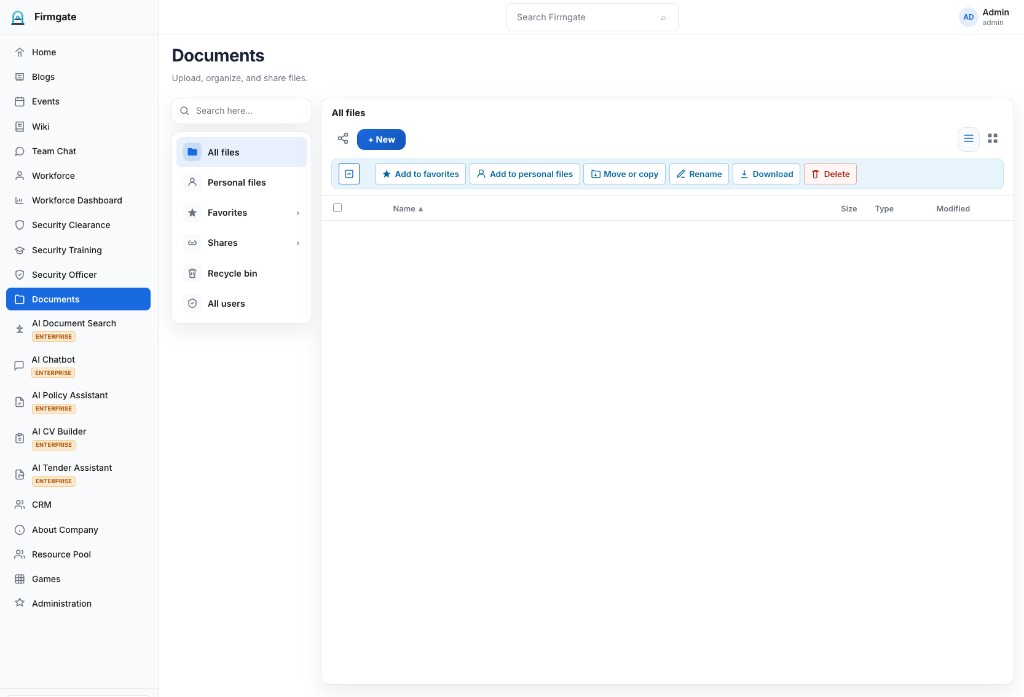
Document repository with sharing, previews, and uploads
Company profile and built-in team engagement
Local users only — roles, modules, backups, and portal branding (no LDAP or SAML)
Commercial · AI, CRM, security & integrations
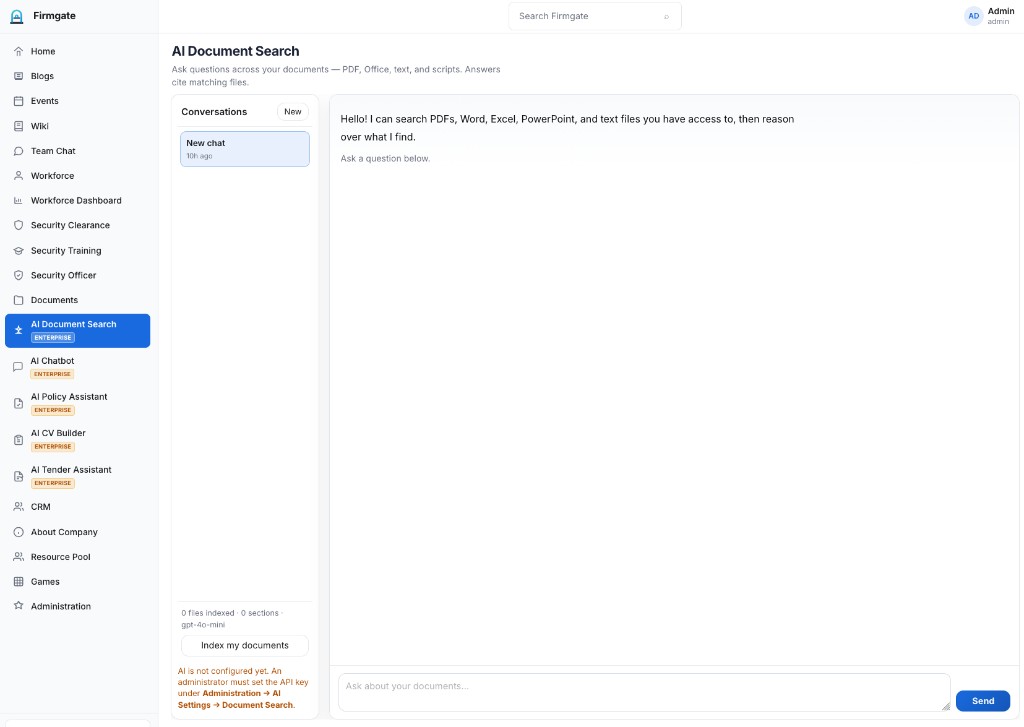
Semantic Q&A across PDFs, Office files, and text — cited answers from your estate
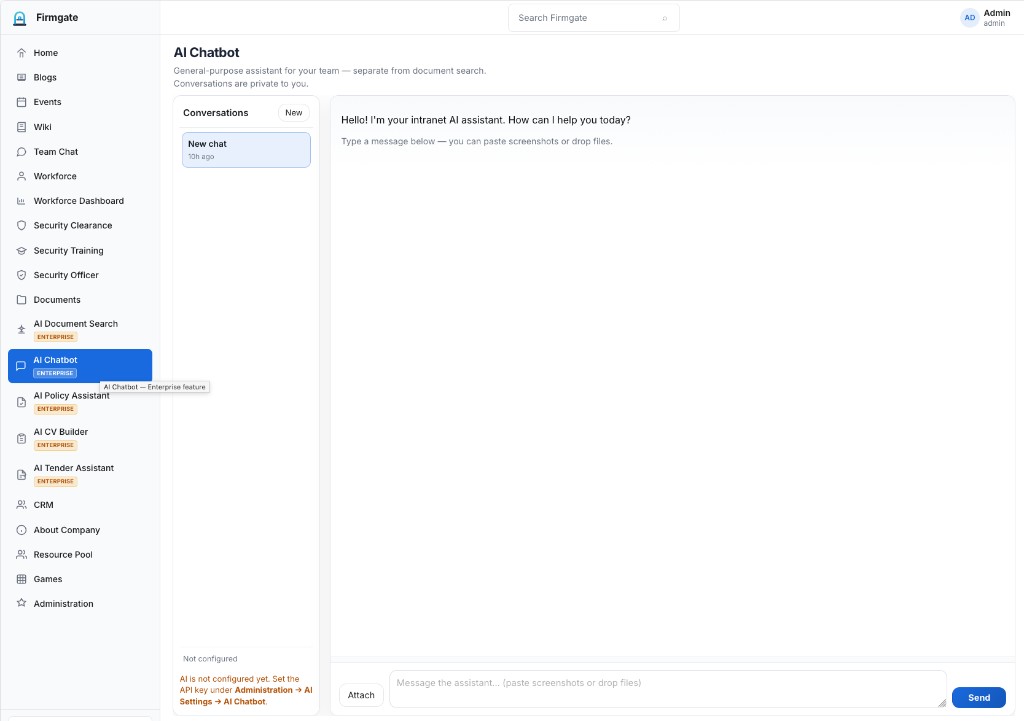
General intranet assistant for staff — self-hosted LLM or OpenAI
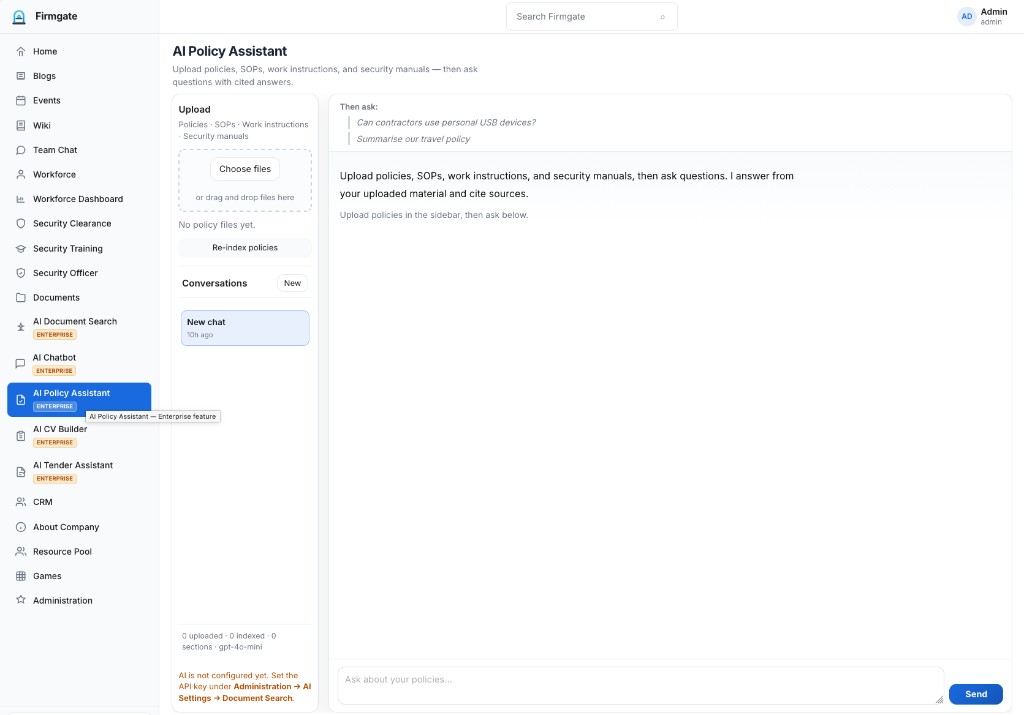
Upload policies and SOPs; search and query with cited sources
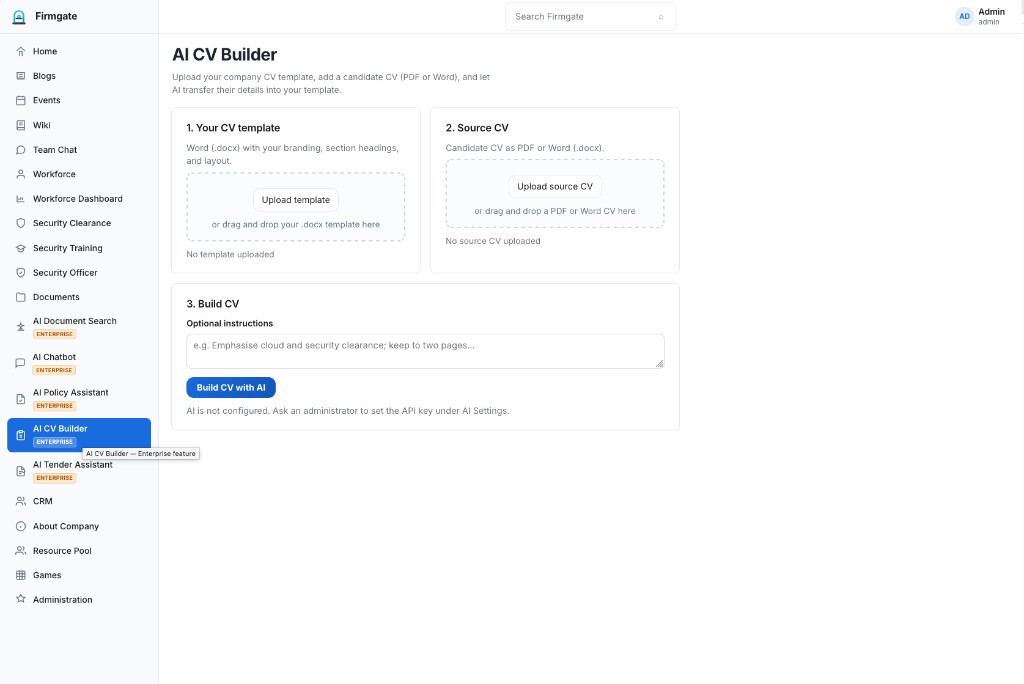
Map candidate CVs into your branded Word templates with AI
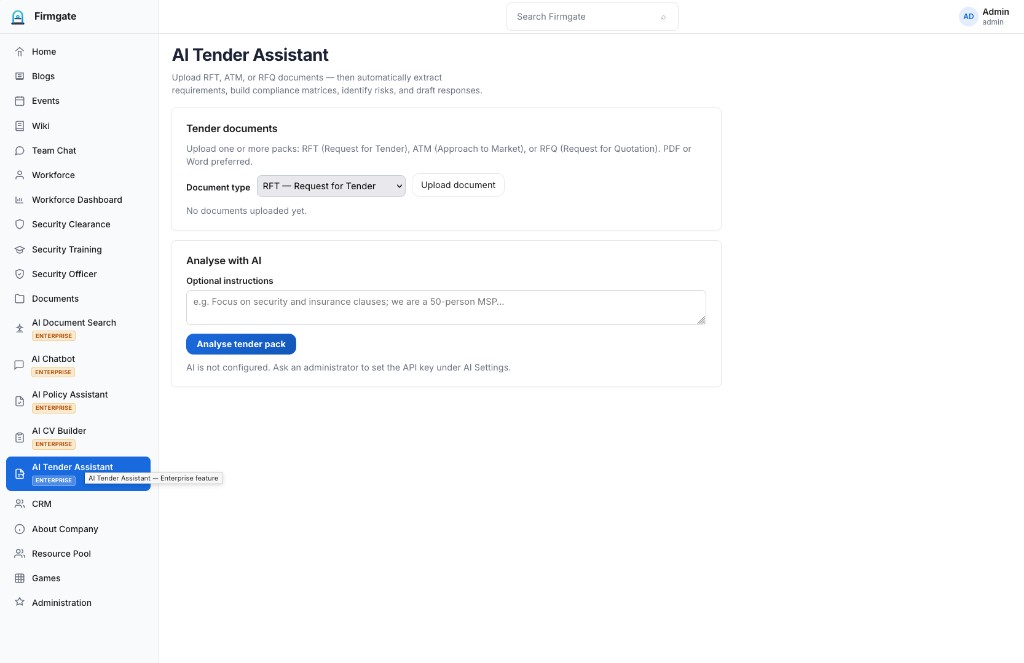
Analyse RFT, ATM, and RFQ packs — requirements, risks, and drafts
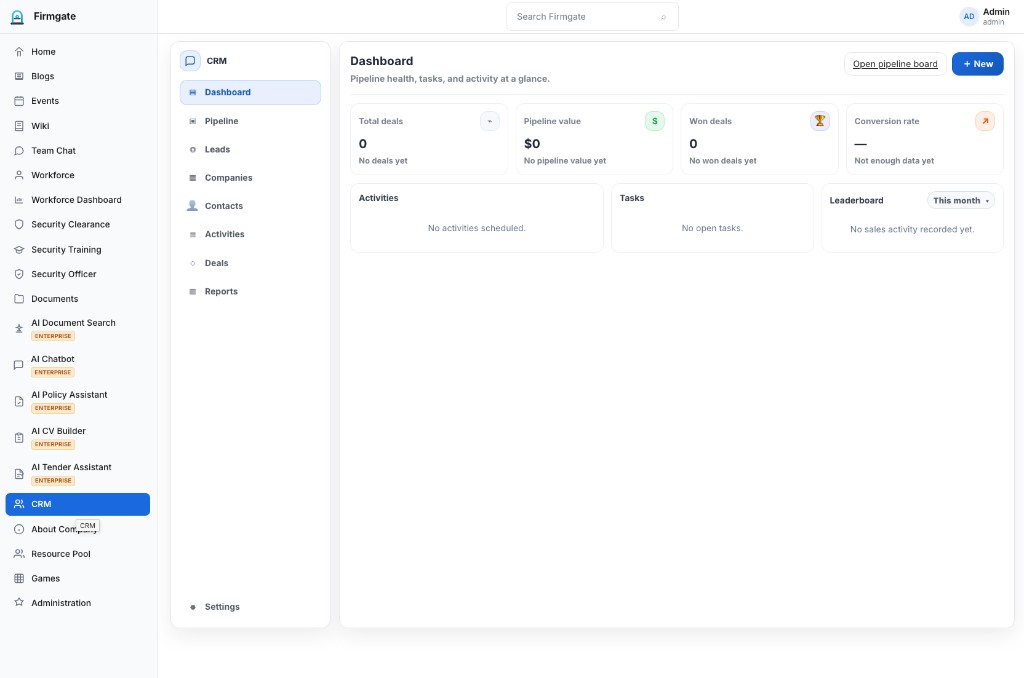
Pipeline dashboard, leads, companies, contacts, and activities
CRM, Resource Pool, Casual Calculator, and Security Clearance as licensed modules
Directory sign-in — not available in Community (local users only)
Enterprise SSO — configure under Administration → Integrations
Office Online and Graph integration for document editing
Casual staffing and calculator workflows for workforce planning
Staffing and resource allocation workflows
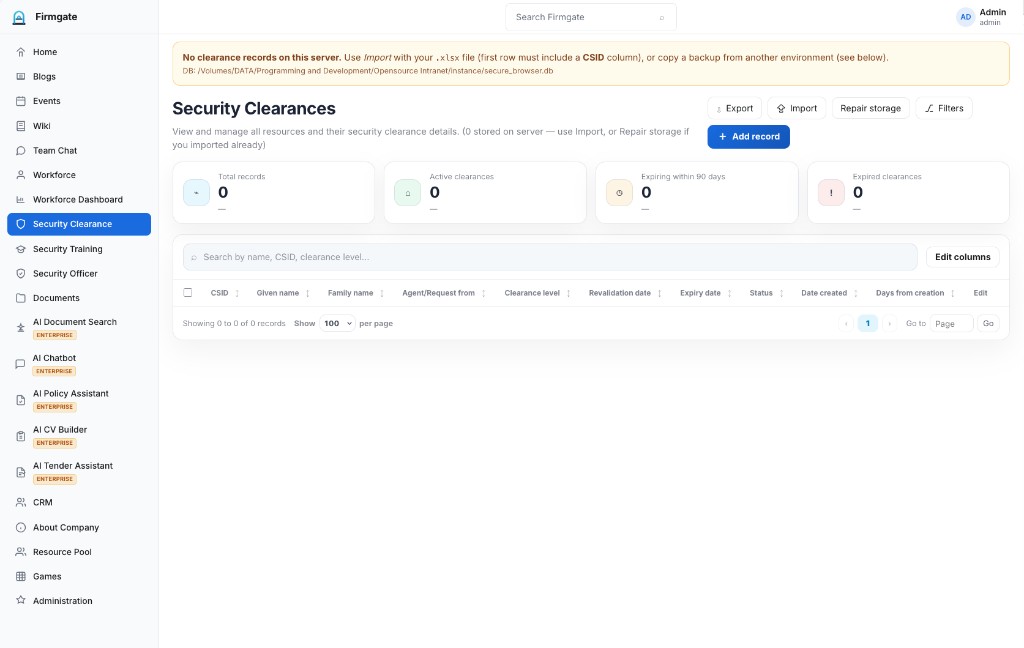
CSID tracking, expiry, import/export, and compliance summaries
Encrypt sensitive data stored on your infrastructure
Security Officer portal pages and officer-facing workflows
Export officer reports to PDF for audits and compliance
Extranet-style self-service sign-up with admin approval
My Timesheet and Timesheet Collection for staff time tracking
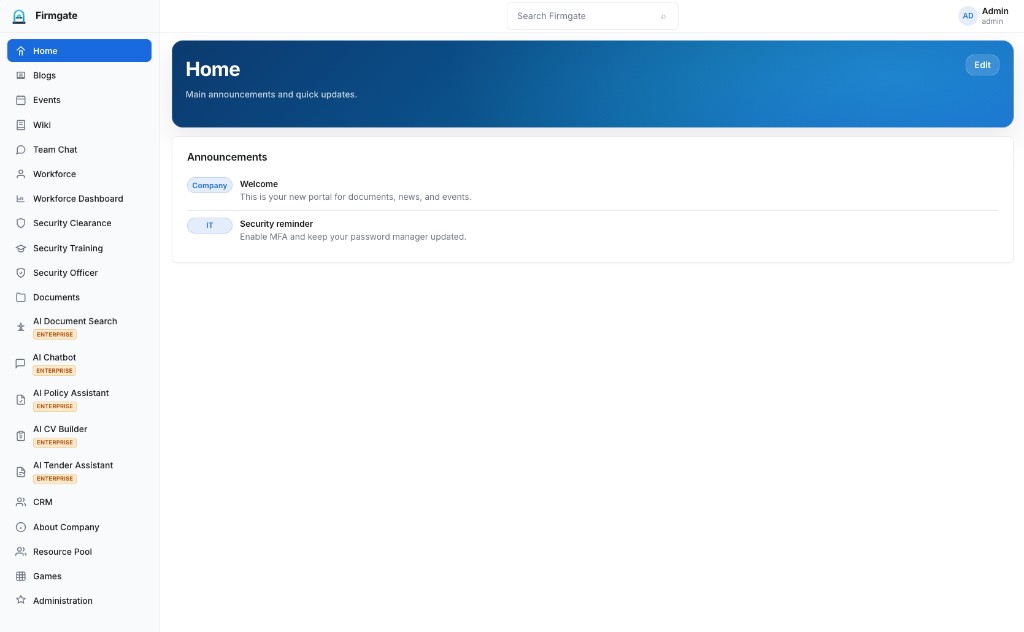
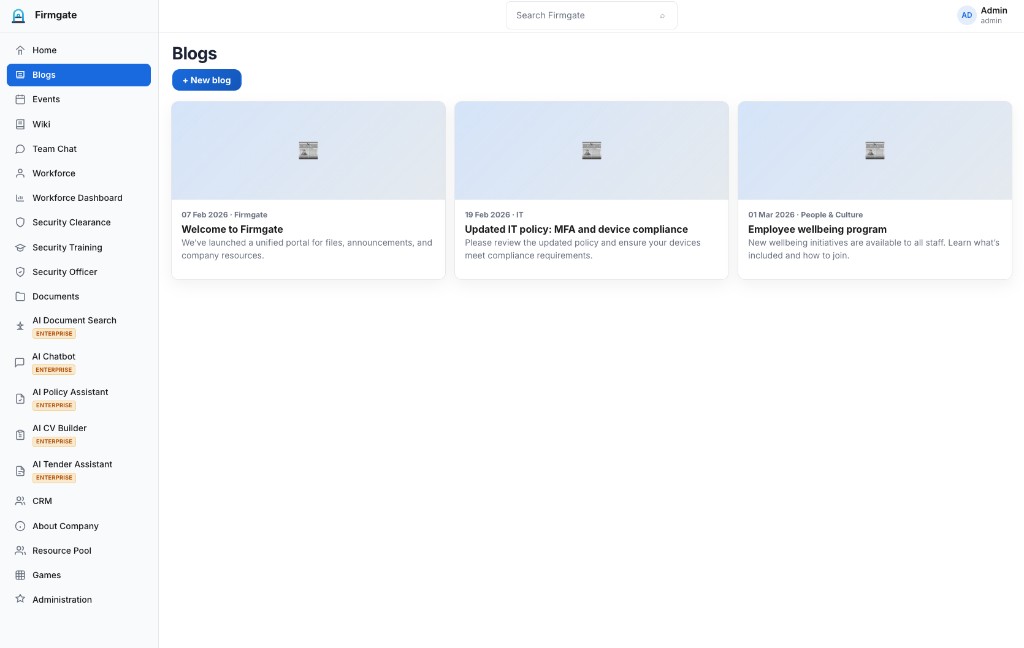
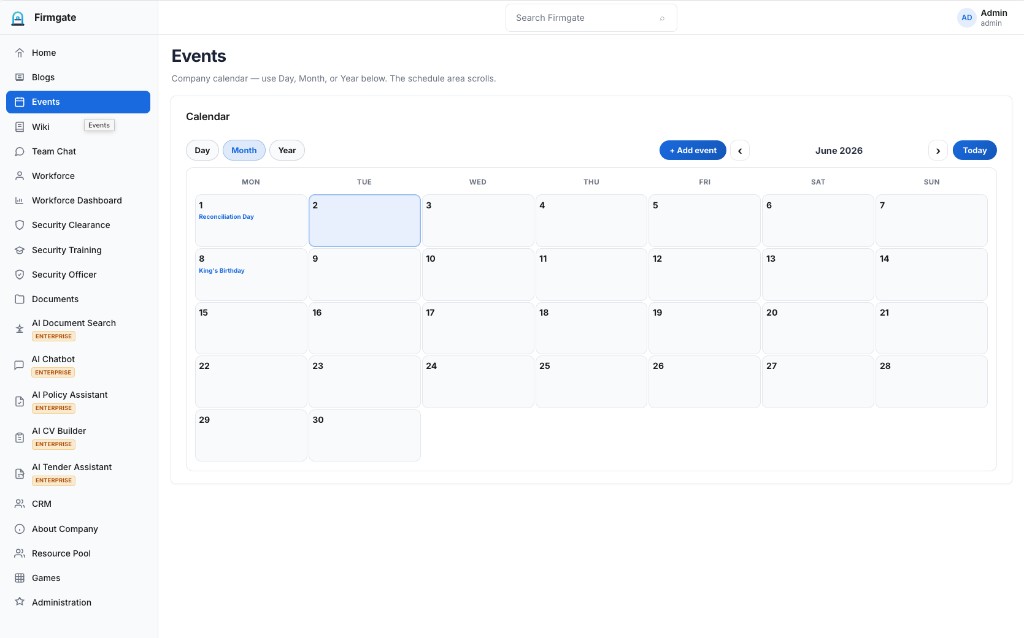
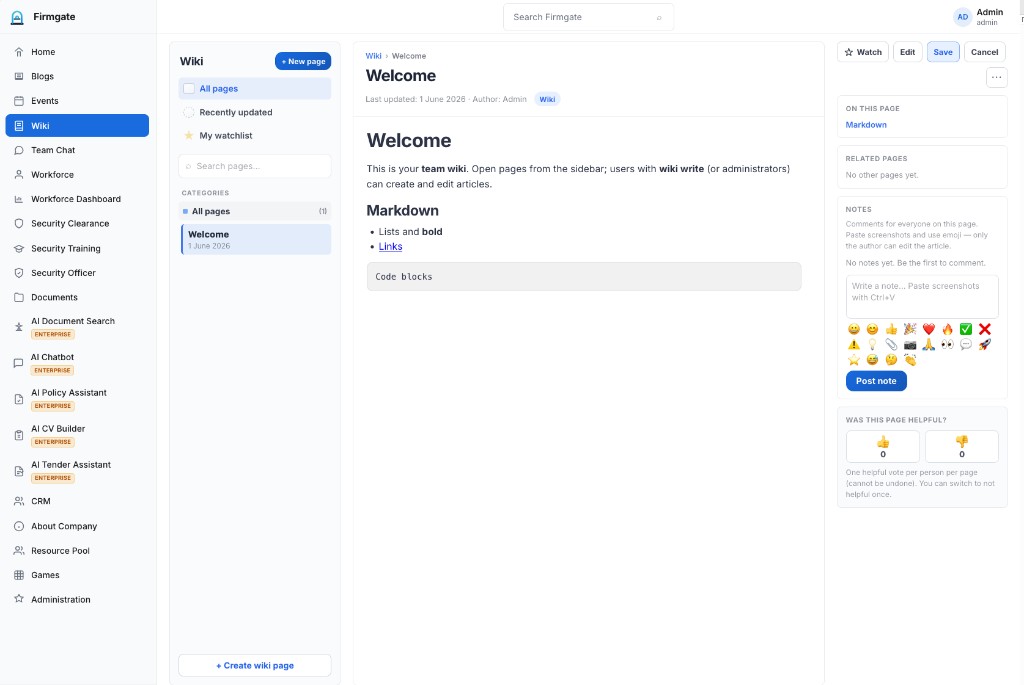
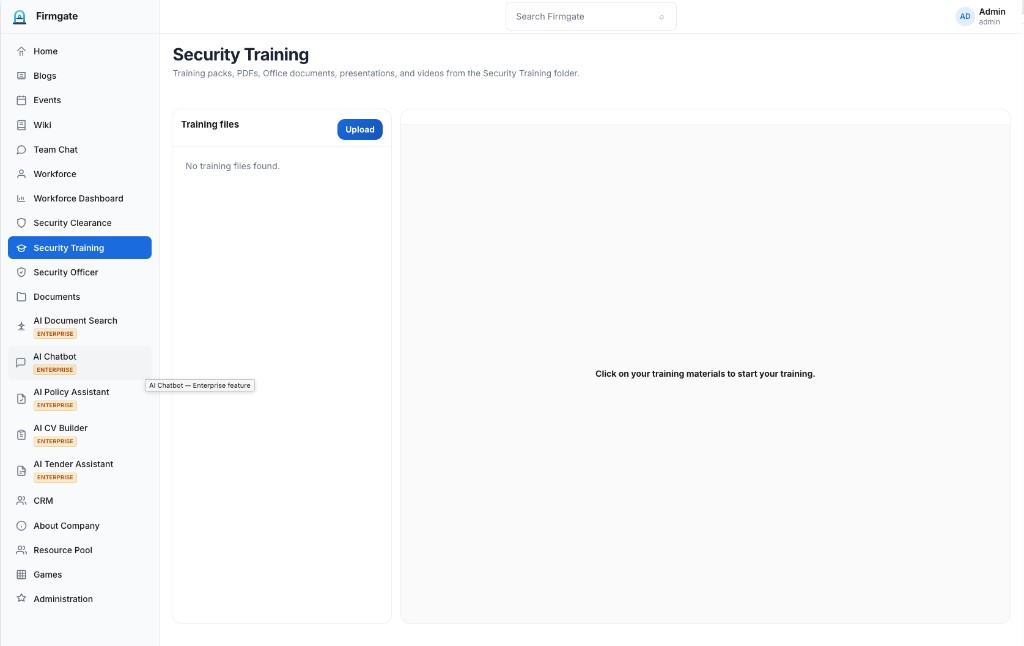
Production UI — Community modules and Enterprise AI tools (screenshots from GA release).
Clone, configure, and self-host on Australian infrastructure — Docker Compose or bare metal.
.env.example to .env and set SECRET_KEYdocker compose up -d --build
Bootstrap admin (fresh install): admin@example.com / admin — change before production.
git clone https://github.com/snooth/firmgate.git
cd firmgate
cp .env.example .env
# Set SECRET_KEY (openssl rand -hex 32)
docker compose up -d --buildpython3 -m venv .venv
source .venv/bin/activate
pip install -r requirements.txt
python run.py
# http://127.0.0.1:5001/Australian sovereign self-hosting, Community Edition, and Enterprise licensing.
Yes. Firmgate is an Australian production — designed, built, and owned in Australia as a sovereign alternative to offshore employee portals. You self-host on infrastructure you choose, including data centres in Australia.
Community Edition (Apache 2.0) includes the open-source intranet core: home, blogs, events, wiki, team chat, workforce, documents, about, games, and core administration — free to self-host with local user accounts only (no LDAP or SAML). Enterprise is a commercial licence that unlocks AI modules, CRM, Resource Pool, Casual Calculator, timesheets, Security Clearance, Security Officer, LDAP, SAML SSO, Microsoft 365, encryption at rest, self registration, and related integrations. See firmgate.io/enterprise for pricing and commercial terms.
Yes. Firmgate is an open-source, self-hosted intranet you run on your own servers or private cloud — ideal for Australian organisations that need data sovereignty without per-seat SaaS lock-in.
No. CRM, Security Clearance, Resource Pool, and the security/AI integrations require an Enterprise licence. Community Edition includes a document repository, wiki, chat, and the core intranet modules listed on firmgate.io.
Enterprise unlocks AI Document Search, AI Chatbot, AI Policy Assistant, AI CV Builder, and AI Tender Assistant; plus CRM, Resource Pool, Casual Calculator, timesheets, Security Clearance, Security Officer module, LDAP, SAML SSO, Microsoft 365, encryption at rest, officer PDF export, and self registration — as shown when licensed.
Yes. Enterprise is designed for AI-enabled workflows on infrastructure you control — including self-hosted GPUs and local LLM endpoints on your LAN or private cloud. You can also connect OpenAI or compatible cloud APIs where your security policy allows. Choose the inference backend per module.
No. Community Edition supports local user accounts managed inside Firmgate only. LDAP / Active Directory and SAML single sign-on require an Enterprise licence, configured under Administration → Integrations.
Yes, with an Enterprise licence. Security Clearance, encryption at rest, and Security Officer PDF export are Enterprise entitlements — designed for Australian teams that must keep personnel and compliance data on-network.
Deploy the free Community Edition today, or talk to us about Enterprise AI modules and support. Australian built. Australian owned. Your infrastructure.